From “I’d like one” to a piece you can cut, with no guessing
Your customer designs the piece themselves, sees it to scale, picks a ship date and pays. You get the exact design and the cut files. Here’s each part.
One piece of wood, designed by your customer
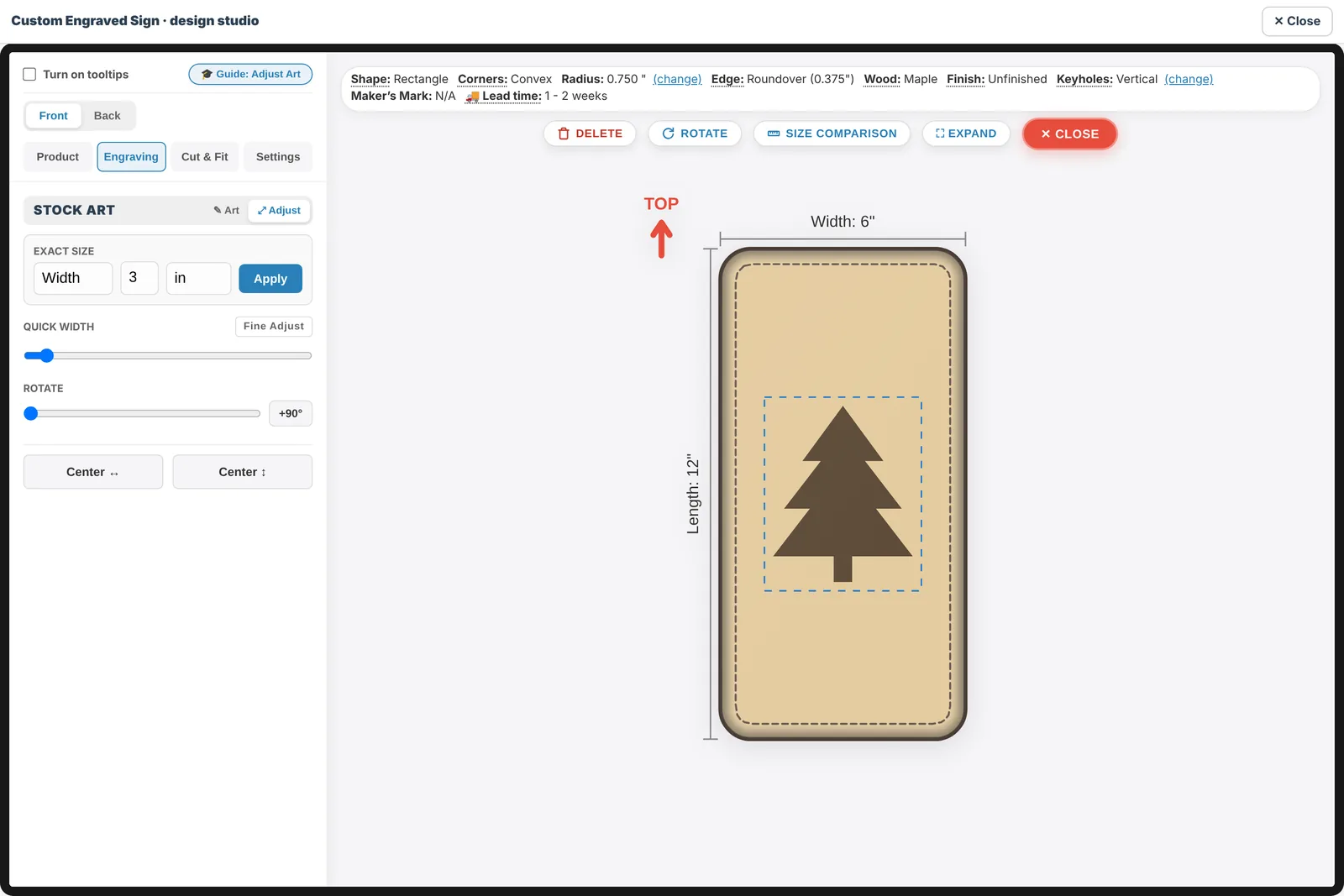
For signs, plaques, coasters, cutting boards and ornaments. Customers are free to make it their own: their words, their art, their size, their wood. You decide what each product allows, and they see exactly what they’ll get.
- Words in the fonts you choose, including your own font files
- Laser engraving or V-carving, in natural wood or the paint colors you stock
- Switches per product: shoppers’ own pictures or logos, the art library, AI designs, the number of lines
- “Sold as designed” products: the preview shows the options, and nothing can be added
- Holes, pockets, keyholes, edges and corners, priced by your own rates
- Back-side engraving when you offer it
Furniture and boxes, built from blocks
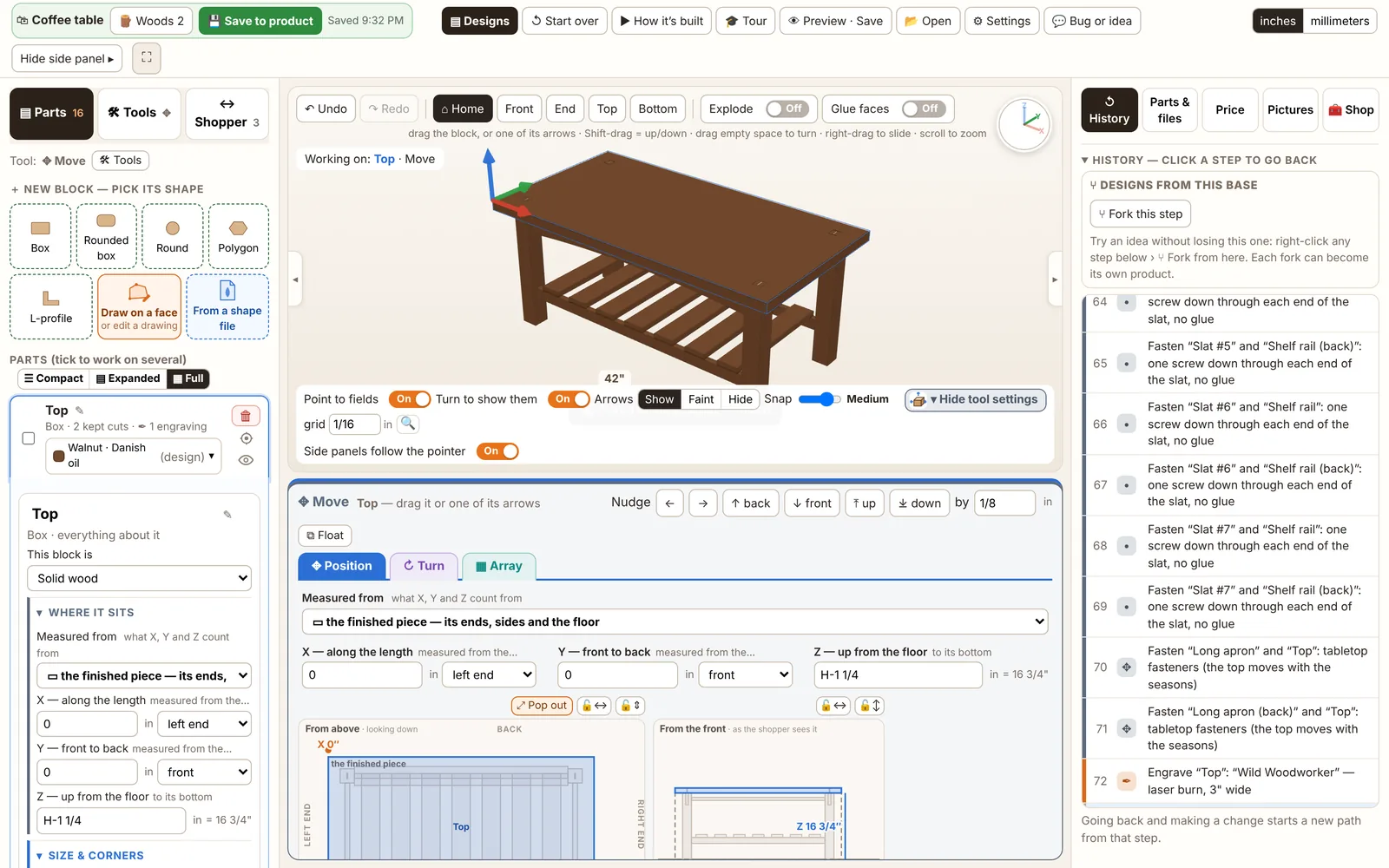
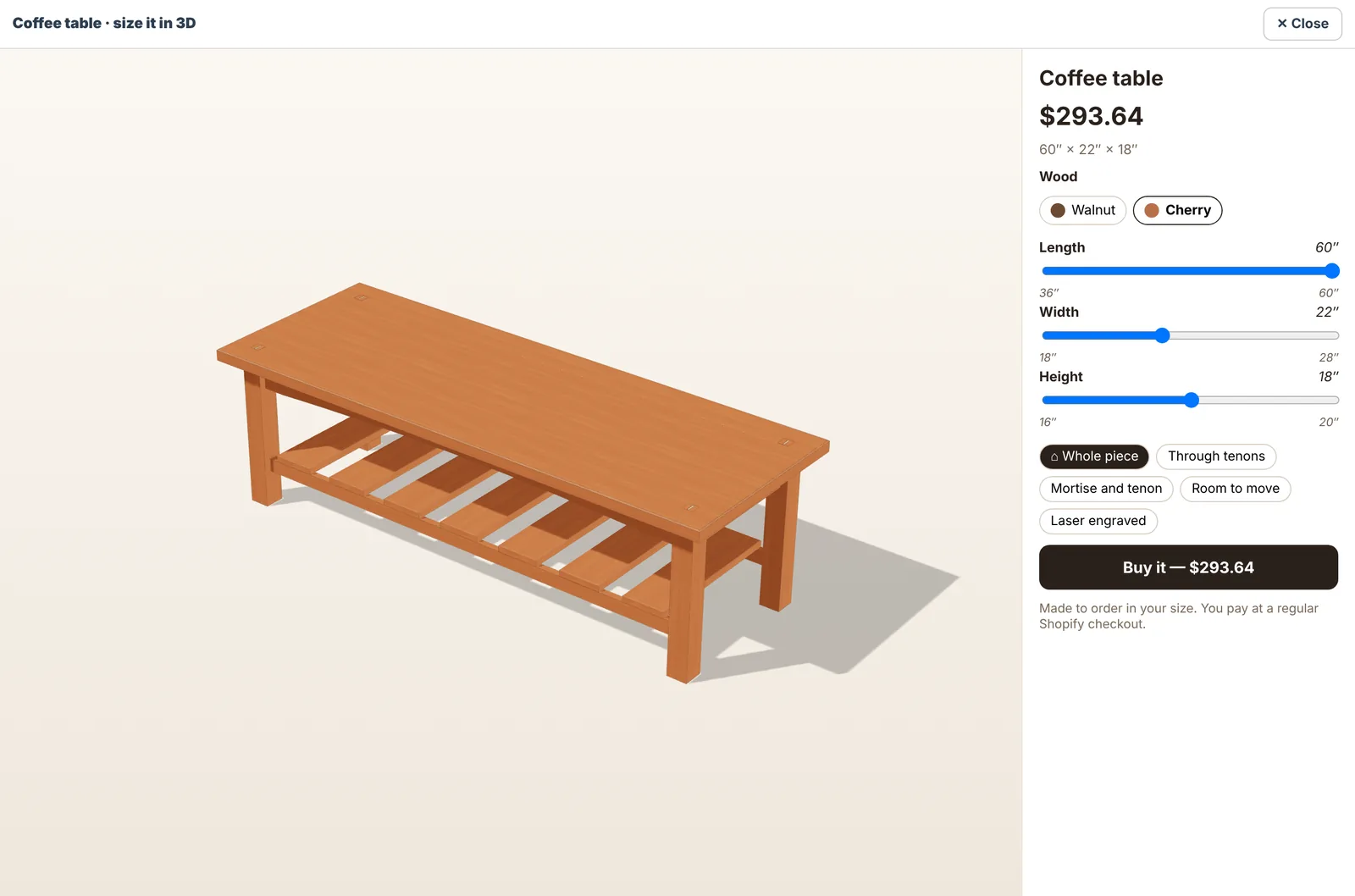
Design pieces made of several parts right in your Shopify admin. Shoppers size them on your product page with “Size it” and pick the wood; you get every part’s files.
- Real joints: dados, rabbets, dovetails, mortise and tenon, pocket holes
- Hinges and pulls from a library, or your own 3D file, with where to buy them
- Exploded view, motion checks for doors and drawers, running fits
- Cut list, part SVG and DXF, Shaper files, STL and a tool list
- Starting designs to fork, and your own saved designs
- Product pictures drawn for you: renders and a room scene
Custom work, quoted and paid in one place
For one customer only
The quote page asks for the email it was made for. The checkout is tied to that customer and can be paid once.
Accept & pay, or sign first
Let them pay straight away, or sign the quote first and then get Shopify’s pay link.
A PDF and a paper trail
Sent, viewed, signed and paid, each with a date. Changes after ordering show on the order’s card.
Files your machines can run
Check every file before you cut: sizes, kerf and depth depend on your machine and material.
Every studio order with its proof and files
Team notes, who changed what, and a clear mark when a quote changed after ordering.
Several orders on one sheet
Nest pieces from different orders on your bed size and download one file to run.
Dates customers can count on
Lead times that follow your open orders. Rush shows the sooner date and your fee, and the fee is paid at checkout.

See the hours it gives back
Counted from your own minutes per task and your own hourly rate.
AI designs, titles and pictures when you want them
Vector designs ready to engrave, product titles and descriptions, background cut-outs and room scenes. They use credits from an AI plan. Shoppers can make AI designs too: they buy packs at checkout before they use them, and that money is yours.